Know where you stand.
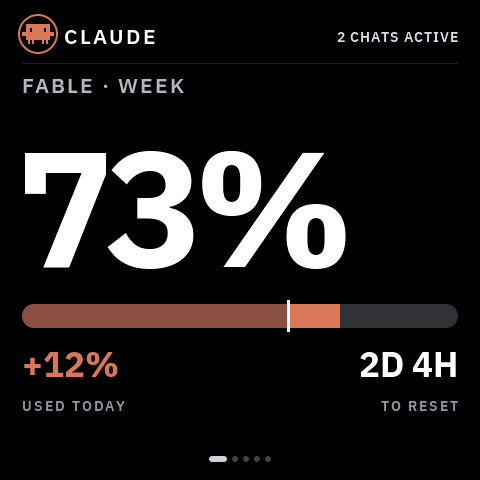
Claude and Codex quotas, reset countdowns and today’s usage.
A VibeOnChip product · Open source · MIT
Your AI agents, at a glance. Usage, reset times and a heads-up when they need you. Open-source firmware and companion software, available to build today.
211 GitHub stars · 36 forks · MIT open source Checked 15 Oct 2026VibePulse / built in public
Reported dates: 1 Oct 2026 – 14 Oct 2026 · UTC
Snapshot saved
GitHub activity, not product users or installs. Unique counts apply to this period only.
Source: GitHub’s repository traffic API. This is its rolling 14-day snapshot; the latest day may be incomplete. Stars and forks refresh separately.
Archive started 10 Oct 2026. Earlier launch traffic outside the first saved window is unavailable.
Your agents, at a glance
Claude and Codex quotas, reset countdowns and today’s usage.
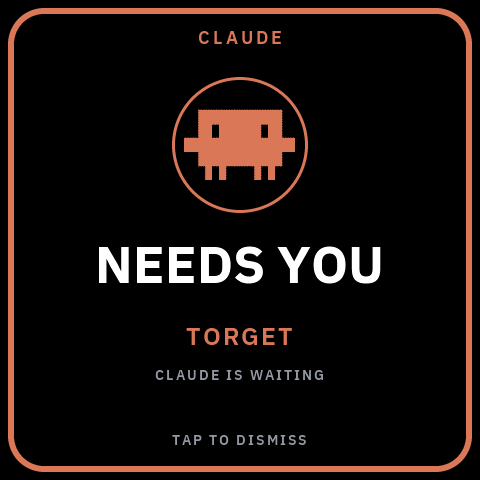
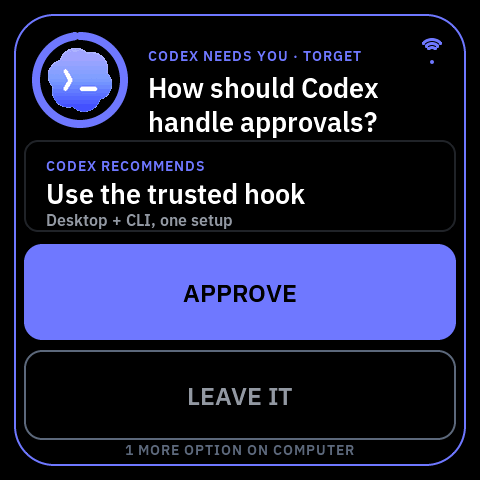
A visible alert when an agent is waiting for your input.
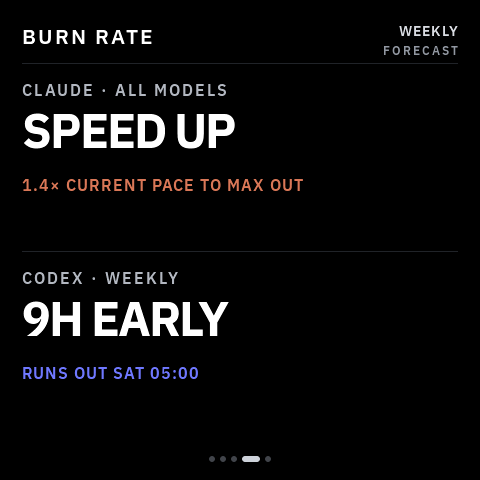
A forecast of whether your current usage will last until reset.
Original 2.16 simulator output. Available screens and touch features vary by board.
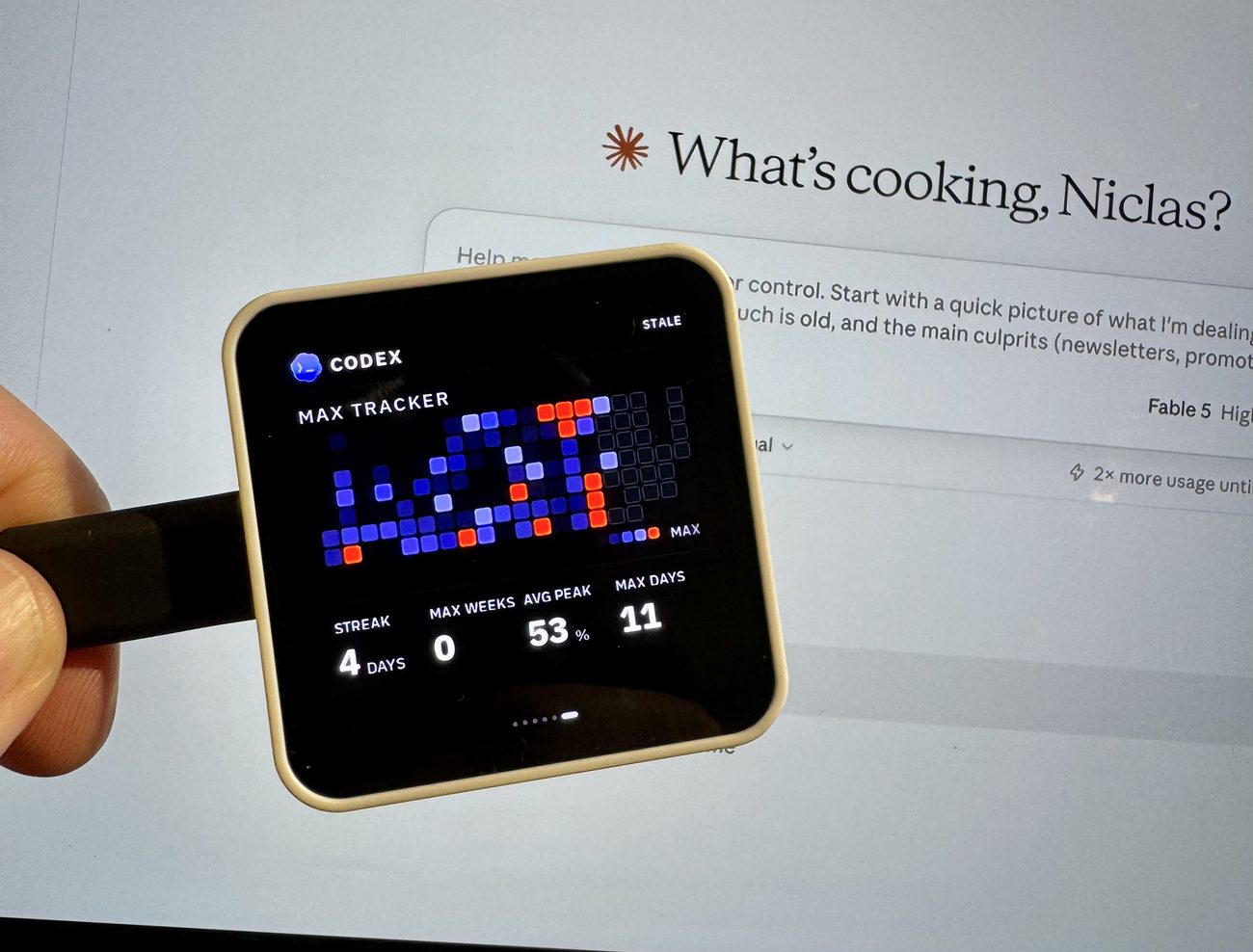
Max Tracker shows daily peaks and coding streaks. The value screen compares logged token usage at list API prices with your plan cost; it is an estimate, not a bill.
On the original 2.16, supported agent questions can be answered from the glass. This is a separate opt-in per provider. Anything the panel cannot safely display stays on the computer.
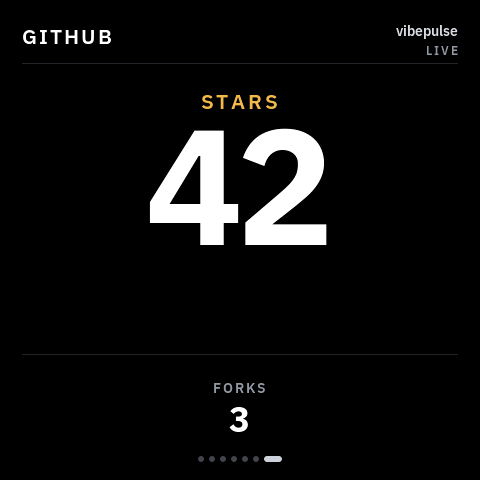
An optional GitHub screen shows a public repository’s stars and forks. New stars can trigger a celebration. The tile, sound and celebration are separate opt-ins.
Find your fit
Start with the original 2.16 for the broadest verified feature set. Explore the other shapes once you know their limits.
Recommended first build
Usage, reset times, alerts, optional answers from the glass and Wi-Fi updates after the first USB install.
See the original & its setup guideThe exact Waveshare display, a USB-C data cable, a separate USB power supply, 2.4 GHz Wi-Fi and a Mac or Windows PC.
Install the open-source software yourself, with your coding agent’s help. Keep the computer service running for fresh readings. Claude Code or Codex sign-in is needed for its agent pages; OpenRouter-only setup is a separate preview.
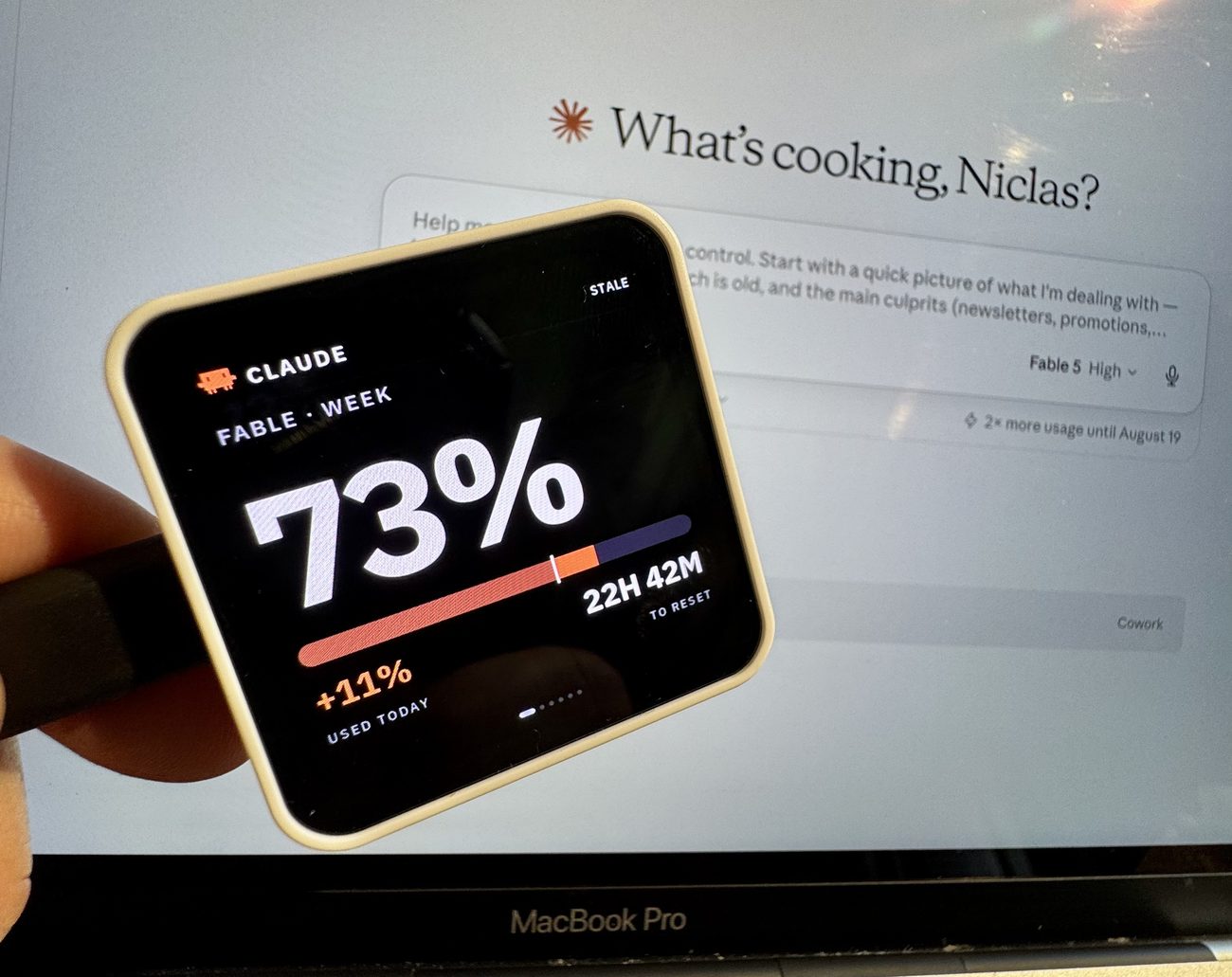 Recommended first buildOriginal square2.16-inch AMOLEDSupported · originalSupport & setup
ESP32-S3-Touch-AMOLED-2.16
480 × 480 AMOLED with touch. The original VibePulse model, with verified usage, WiFi and answers from the glass.
KEY3 opens SETTINGS. Firmware updates over WiFi are available after the first USB installation.
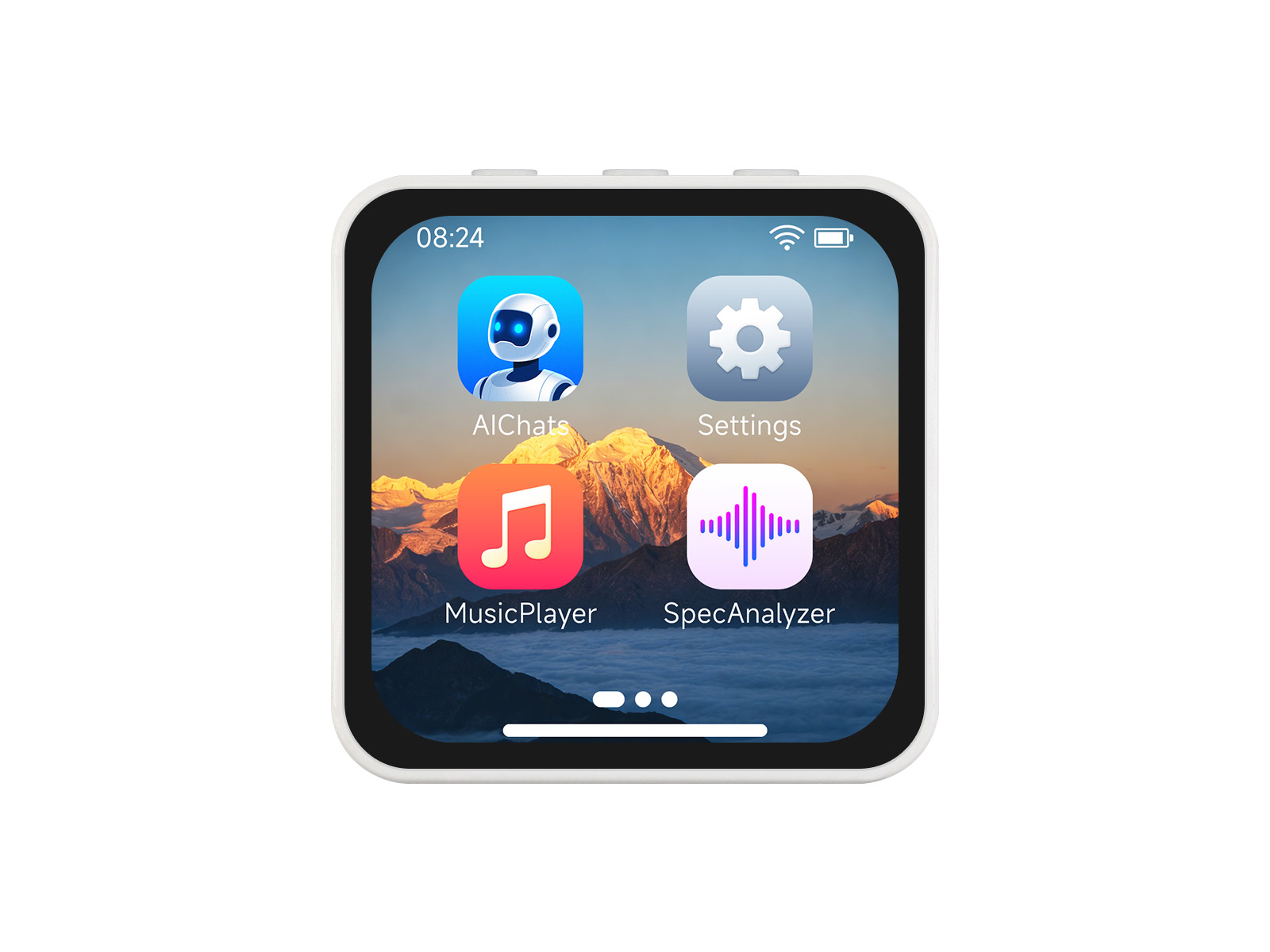
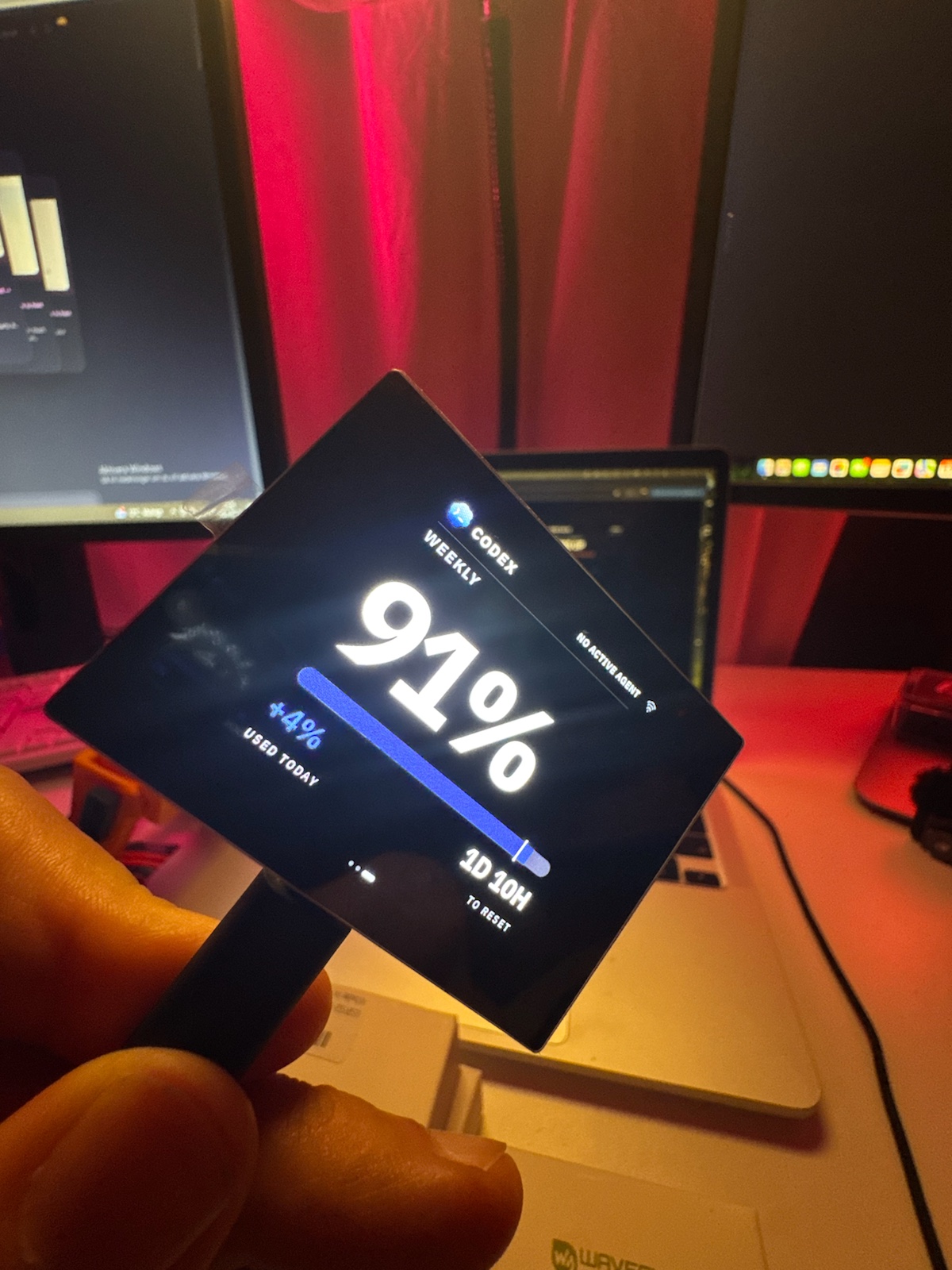 Landscape2.41-inch AMOLED · V2Supported · V2 onlySupport & setup
ESP32-S3-Touch-AMOLED-2.41 · V2 / Rev2.0
600 × 450 AMOLED with touch. Display bring-up, touch, WiFi and visible Codex/Claude usage checked on a real unit.
Check the V2 marking; V1 is not supported. BOOT opens SETTINGS. USB updates, fixed landscape; physical answer replies and OTA are not yet verified. Select its v1.2.0 board profile.
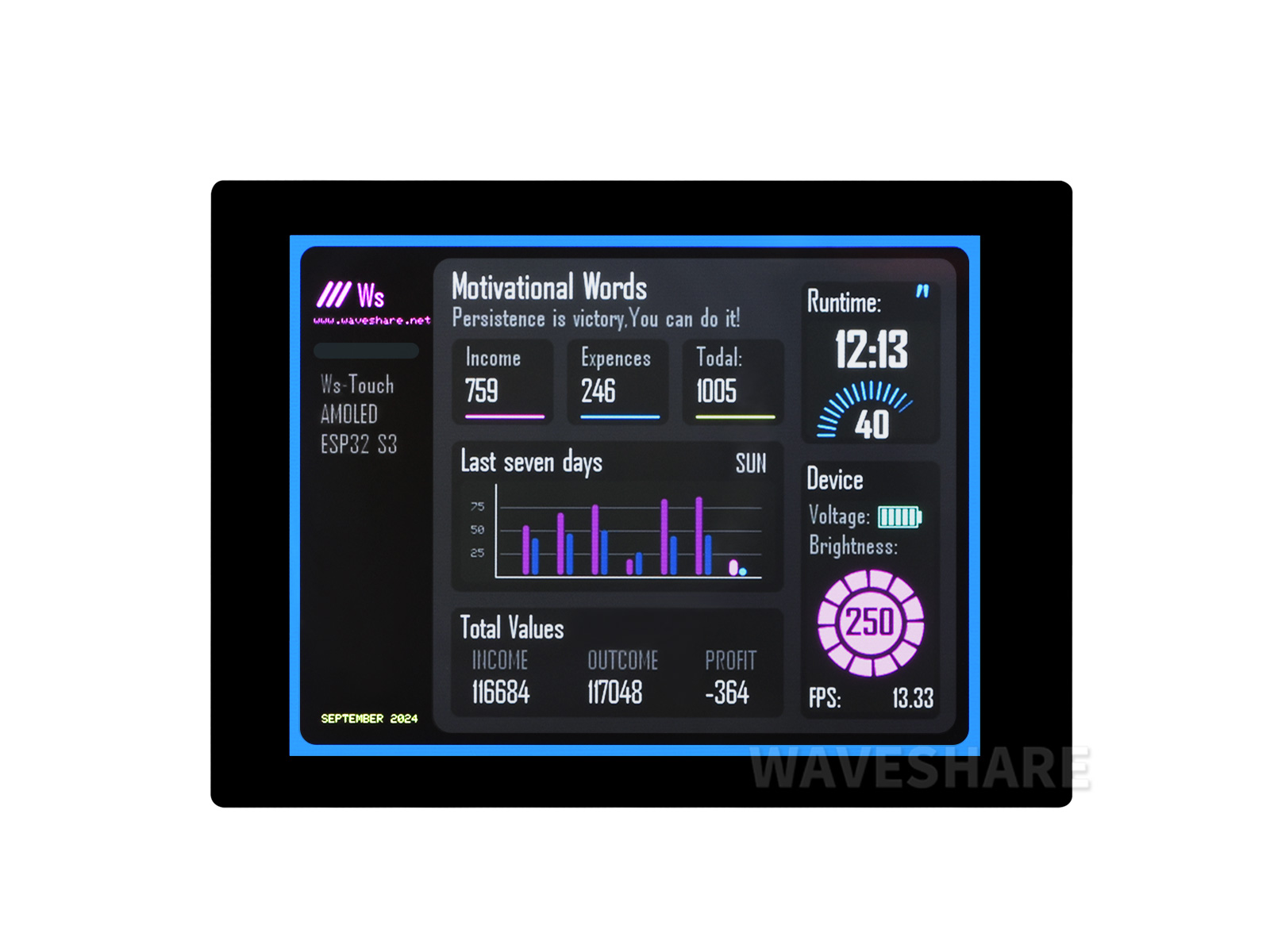
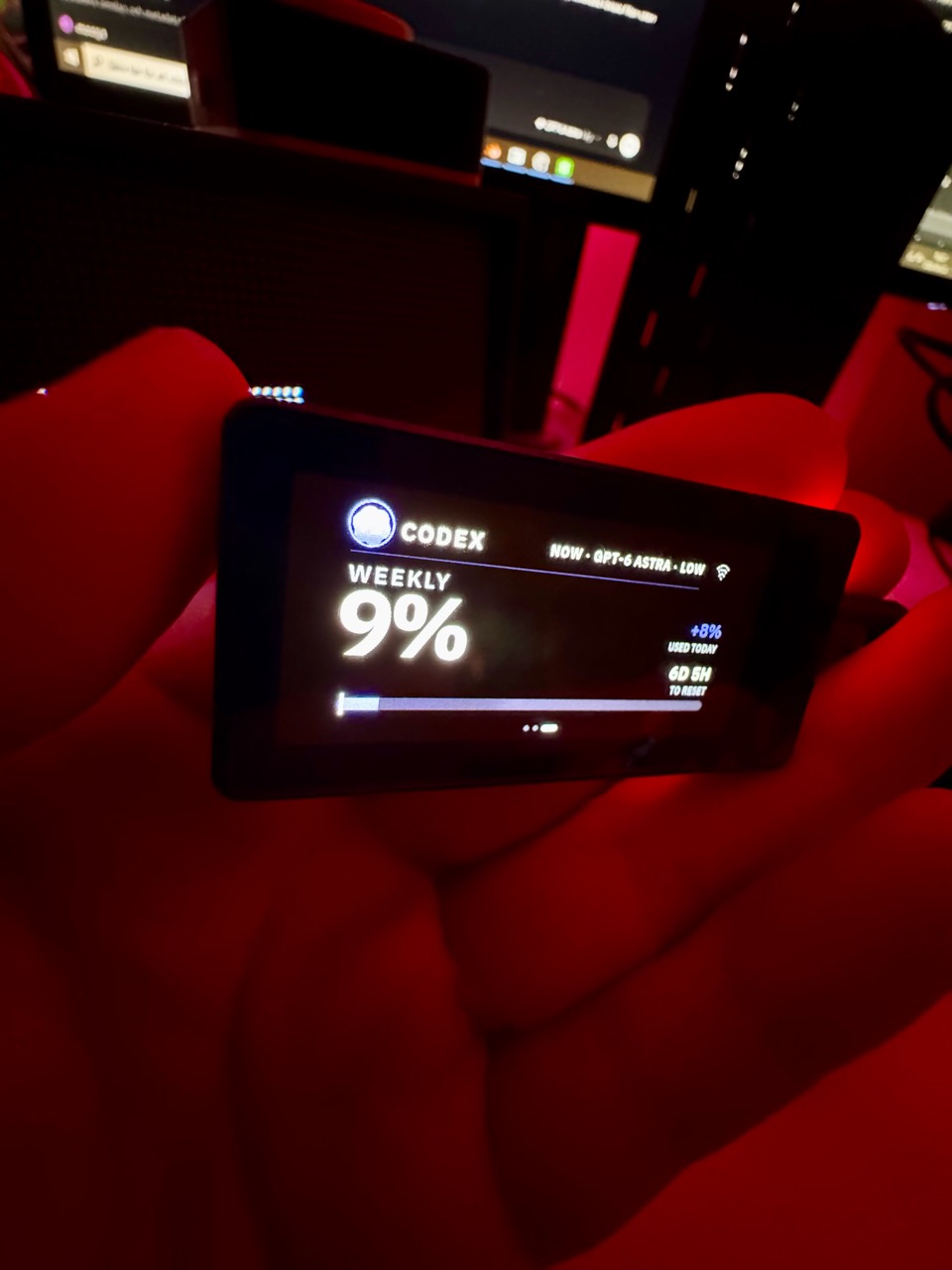 Compact1.91-inch AMOLED · TouchDevelopment port · real unitSupport & setup
ESP32-S3-Touch-AMOLED-1.91 · touch variant
536 × 240 AMOLED with touch. Phone Wi-Fi setup, reconnect, visible Codex usage and page swipes were checked on one real unit.
USB-installed development port. Touch can intermittently stop responding; final recovery-build touch checks, longer stability and full UI review remain. Needs You decisions stay on the computer; OTA is not verified.
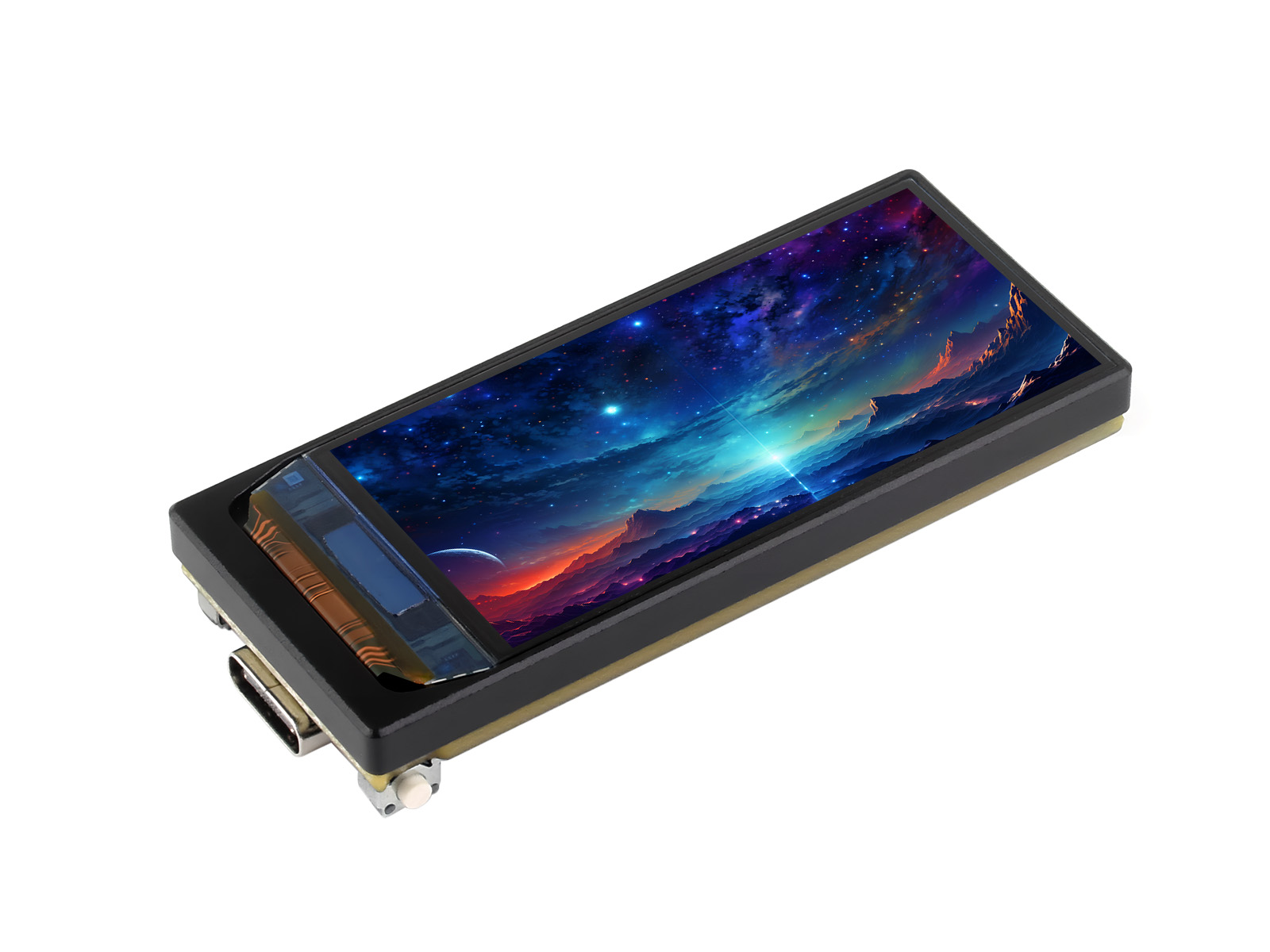
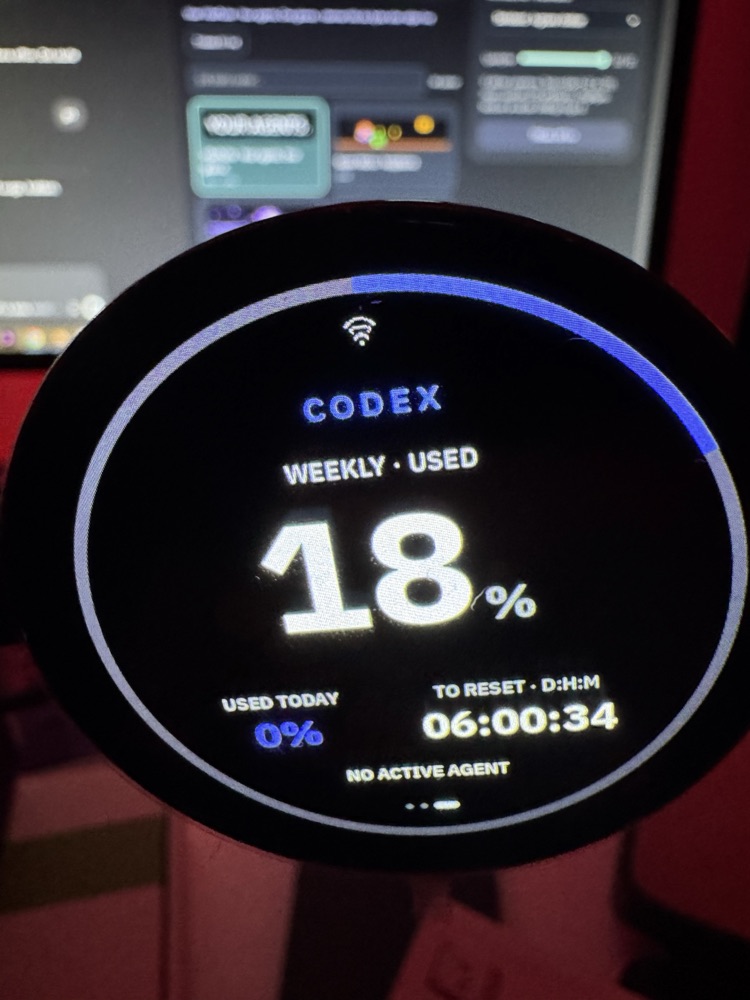 Round1.75-inch AMOLEDQuota profile · physical checkpointSupport & setup
ESP32-S3-Touch-AMOLED-1.75 · marking only
466 × 466 AMOLED. The owner photographed Codex usage, today's contribution and the reset view on one unit. This is a physical checkpoint, not full-board qualification.
OpenRouter spend now also runs on this round unit as an optional Labs preview. See the photo and setup.
Included in v1.2.0; install and update over USB. Needs You decisions stay on the computer. Fixed USB-down orientation, touch, live value accuracy and two-scan Wi-Fi setup await final physical review; automatic rotation remains unverified.
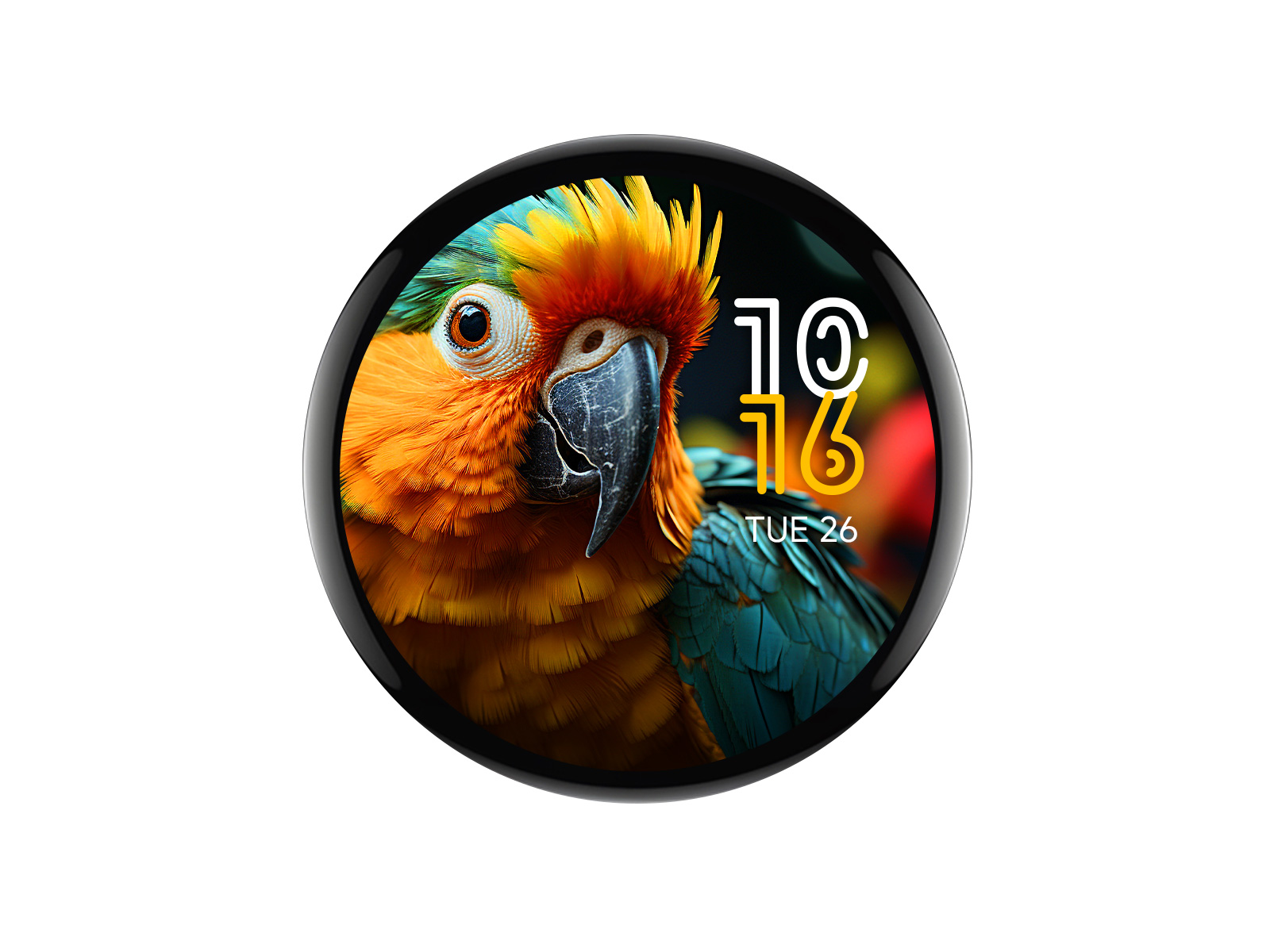
The four display photos show VibePulse on Niclas’s actual hardware. Readings are photographed moments, not live data. Official Waveshare family photos remain in each model’s identification details.
Affiliate links may earn me a commission, at no extra cost to you. Waveshare supplied hardware for development and testing.
Features and support belong to the exact model. Swipe the table to see all columns.
| Display | Status & use | Updates | Know the limits |
|---|---|---|---|
| Original 2.16 | Supported · originalUsage, reset times, alerts and opt-in answers from the glass. | First install over USB; Wi-Fi updates available. | The broadest verified feature set. Each optional integration has its own requirements. |
| Landscape 2.41 V2 | Supported · V2 onlyClaude/Codex usage, touch and Wi-Fi checked on a real unit. | USB. OTA not yet verified. | V2 / Rev2.0 required; V1 excluded. Fixed landscape; answer replies on the glass unverified. |
| Compact 1.91 Touch | Development port · real unitCodex usage, Wi-Fi setup, reconnect and page swipes checked on one unit. | USB. OTA not yet verified. | Touch recovery and longer stability checks remain. Needs You decisions stay on the computer. |
| Round 1.75 | Quota profile · physical checkpointUsage and reset views photographed on one unit; optional OpenRouter Labs preview. | USB. OTA disabled. | Full touch, USB-down orientation and live value accuracy checks remain. Decisions stay on the computer. |
| Portrait 1.8 V2 | Development profile · not fully supportedOwner reports display, touch, settings and network working on one V2 unit. | Source build and USB. OTA disabled. | V2 only; V1 excluded. Four-corner touch and extended memory/network-load checks remain. Decisions stay on the computer. |
Based on the reviewed source documentation. Setup guides follow current source. Status data & evidence links. This table covers VibePulse; the Codex USB plugin has separate status.
The 1.8 V2 has a USB-only development firmware profile. The owner reports display, touch, settings and network working on one unit. It is not yet a fully supported first-build recommendation.
Check the V2 marking: V1 is excluded. Four-corner touch acceptance and extended memory/network-load checks remain. OTA is disabled and Needs You decisions stay on the computer.
Read the 1.8 V2 development guide · Evidence reviewed 11 October 2026
Other display concepts have no release date.
RGB matrix hardware belongs to the separate VibeMatrix experiment; it is not a supported VibePulse installation.
How a display earns supportAlready have your display?
Get it runningMake it yours
You bring the board. Your coding agent helps with the setup.
Your exact display, a USB-C data cable, its own power supply, 2.4 GHz Wi-Fi and a Mac or Windows PC. For the standard agent pages, have Claude Code or Codex installed and signed in.
Clone the repository on your computer, open your coding agent and use the setup prompt below. The selected display’s guide covers its exact installation steps.
Install over USB, connect the panel to Wi-Fi and keep the computer service running. Check that fresh usage reaches the display.
git clone https://github.com/niclasvestlund-YT/vibepulse.git
Set up VibePulse for my board: first check its model and revision, follow its setup guide, back it up before flashing with my permission, and start or reuse the tokenserver on this computer.
New in Labs · source preview
Today, this week and this month: your OpenRouter API key’s spend, in dollars.
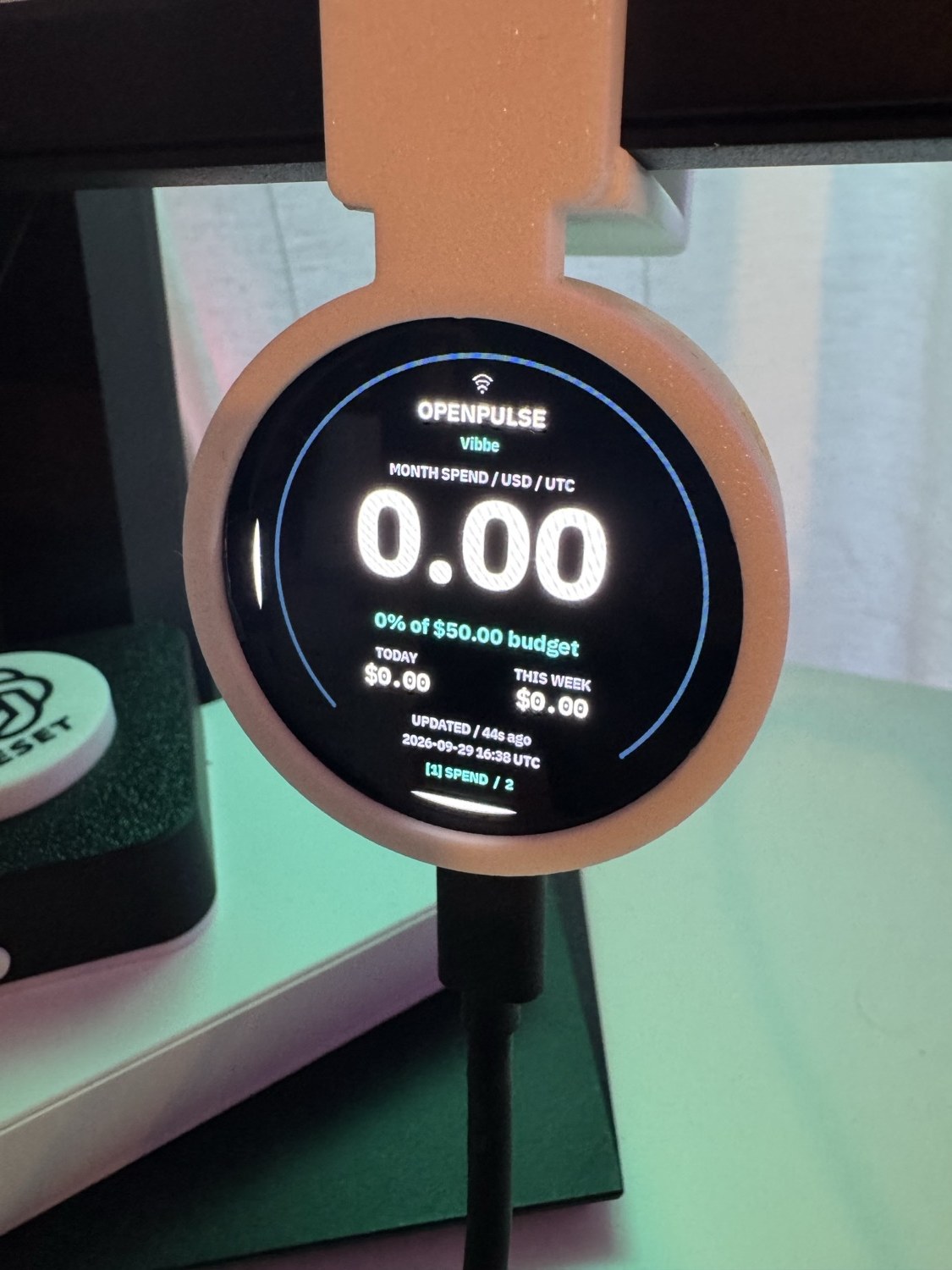
Set a monthly display budget with colour warnings. Tap the panel for your key’s remaining allowance. Account credits are a separate, optional view.
Mac · source build required · round 1.75 physically checked. Square 2.16 has bench checks; other displays await layout validation. This preview is not included in v1.3.0.
Only want OpenRouter? You do not need Claude or Codex accounts. Follow the OpenRouter-only installation guide.
The Mac fetches your readings; the display receives them over local Wi-Fi. Keep the Mac awake and its OpenPulse service running. Signing in to OpenRouter in your browser is not required. USB supplies power, not the readings.
No API key needed. Get the preview source, open that folder in your terminal and use Python 3.11 or newer:
python3 -m tools.openpulse.service --demo
Open http://127.0.0.1:8738 on that Mac to see labelled example data. Stop it with Ctrl-C. The browser demo does not install firmware on your panel.
From the same preview source, use Python 3.11 or newer and start the local setup page on your Mac:
python3 -m tools.openpulse.service --connect \
  --config .openpulse/config.json --port 8739
Open http://127.0.0.1:8739/connect on that Mac. Save the existing key whose usage you want to see and choose a display budget. Keys stay in macOS Keychain. Account credits require an optional management key.
After saving, stop the setup process with Ctrl-C. Find the Mac’s private LAN IPv4 address in System Settings → Wi-Fi → Details → TCP/IP. Replace YOUR_MAC_LAN_IP below with it and start the separate service for the panel:
python3 -m tools.openpulse.service \
  --config .openpulse/config.json --host YOUR_MAC_LAN_IP \
  --port 8740
Keep this terminal running. Open http://YOUR_MAC_LAN_IP:8740/ on the Mac and on a phone using the display’s Wi-Fi. Check for fresh data before installing hardware. Setup on port 8739 is local to the Mac; it is not the panel endpoint.
The round firmware installation guide sets the same address and port in the display. After installing compatible preview firmware, hold BOOT about three seconds → LABS → MORE → MORE: OPENROUTER ON, CLAUDE CODE/CODEX OFF for an OpenRouter-only carousel, then RESTART NOW. Keep the other optional pages off. Agent monitoring has its own settings.
Labs does not install the service or firmware. Automatic OpenPulse startup is not available yet: start the display-service command again after stopping it or rebooting the Mac. Restart it after changing the saved key/budget. Use a trusted private network; reserve the Mac’s address in the router if possible. This preview has no OpenRouter relay.
First check that you are on OPENPULSE, not a Claude/Codex page. Does http://YOUR_MAC_LAN_IP:8740/ open on the Mac? If not, start the display service again. If it shows a source error, check the saved API key and Keychain access using the local connection page.
Fresh on the Mac but no reading on the panel? Check the panel’s Wi-Fi and exact service address/port. Test from a phone on that Wi-Fi too: guest networks can block access to the Mac. A Wi-Fi icon or fresh Mac reading alone does not prove the panel received and rendered the data.
UPDATED with 0 USD can be correct for that key; a new key does not inherit another key’s spend. STALE marks old data. Account credits need the optional management key, independently of key spend. Full troubleshooting guide.
The local service fetches readings and sends only summaries to the panel over your private network. The display budget is your own visual guide: it does not change the API key’s spending limit. Account credits need a separate management key. BYOK is shown separately, and missing or old readings are labelled.
Upright output and the bottom page switch have been confirmed on one round unit. Full swipe/menu checks, other physical displays and Windows setup remain to be validated.
A new VibePulse page shows Lovable credits, plan and reading freshness. A real reading has reached the round 1.75 display on macOS.
This experimental page is included in v1.3.0 and needs an optional local Chrome integration. Automatic refresh and the Windows browser integration still need end-to-end verification. It is not an official Lovable integration.
Read the preview setup guideRelease & verification notesOn my desk
Switching views on the original VibePulse.
Open videoThe panel calls for attention when an agent is waiting.
Open videoThe original panel in its everyday workspace.
Open videoBefore you begin
macOS and Windows are supported for the companion service. Linux is not yet supported as the companion host. This does not mean every board’s build and flash flow has been verified on both systems; follow the exact model guide. Claude Code and Codex work together or individually.
Host support and verification2.16: on current firmware, hold KEY3 for three seconds to open SETTINGS, then tap UPDATE to allow a firmware upload over WiFi. A short button press closes the window. USB remains the recovery path. 2.16 update guide
2.41 V2: use the USB update steps in the V2 guide. OTA is not yet verified on this model. Each board needs its own firmware.
1.91 Touch: use the board-specific USB steps. OTA is not yet verified.
Round 1.75: use the board-specific USB steps. OTA is disabled in current source; Needs You decisions stay on the computer.
The panel runs Torget — its home screen, where every app is one tile. It's deliberately tiny, which means agents one-shot new apps for it. "Make me a tile that shows my server's ping" is a valid workflow here.
A desktop simulator renders the exact same pixels as the glass. You look at the mockup, say "yes", and only then does anything get flashed. No surprises on the shelf.
true black · IBM Plex · dashes instead of invented zeros
Yes. The desktop simulator runs the same UI code as the original panel. Follow the repository’s simulator instructions for your development environment.
Simulator instructions on GitHubThis inventory describes the original 2.16, not the 2.41 V2. Available electronics and verified VibePulse features are different things. The hardware registry keeps the evidence →
Where the project is heading
Current availability and intended focus. Future work is not a release-date commitment.
Built in public
Start with the setup guide, inspect the source or follow the next release.